How to Translate a Resume to Japanese — A Real AI Before/After Test
We translated a real-format US resume from English to Japanese with AI and reviewed every detail — job titles, school names, dates, layout. Full results.
By the Doc2Lang Team · Tested and published: July 5, 2026 · Model versions: Pro / Lite as of July 2026
How we tested (and our disclosure): This is a first-party test of our own product. To keep it verifiable: the sample resume is downloadable below, we paid the same per-use price as any user (¥800 with Pro, ¥460 with Lite for this one-page file), and the free preview means you can reproduce the core results yourself at no cost. We report what the Lite model got wrong as well as what it got right.
Translating a resume sounds simple — until you actually try it. The hard part isn't the words. It's everything around them:
- Layout breaks. Resumes are dense, carefully formatted documents. Copy-pasting through a generic translator destroys the columns, tables, and spacing that recruiters expect.
- Job titles and levels get mangled. "Software Engineer II" and "L4" are internal levels, not phrases to be translated literally.
- Proper nouns get over-translated. Your university and employer names need to be handled deliberately — not run through word-for-word translation.
Instead of telling you our AI handles this well, we decided to show you. We built a realistic one-page US-style resume, packed it with the things that usually break in translation, and ran it through Doc2Lang from English to Japanese. Below is exactly what happened — including where two different AI models made different (and equally defensible) choices.
Three ways to translate a resume — and when each makes sense
A professional human translator is the right choice when a certified translation is required (visa applications, some government filings) — expect roughly tens of dollars and a few days of turnaround for a resume.
Free text translators (Google Translate and similar) are fine for understanding a foreign-language resume you received, but poor for producing one: you lose the file's layout, and resume-specific conventions like job levels and honors get translated literally.
An AI document translator works inside the original file, so layout survives, and modern models handle genre conventions — for a fraction of human cost and in minutes. That's the approach we're testing here. If your target is a fully restructured Japanese 履歴書 (the standardized grid format), note that no translator does that — that's a rewrite, not a translation; what you get here is your resume's content and layout, professionally rendered in Japanese.
The test resume: 10 built-in translation traps
Our sample resume belongs to a fictional senior software engineer, "Emily R. Carter." The person is invented; everything else is deliberately real — Stanford University, UC Berkeley, Google, Stripe, and Adobe — because real institution names are precisely where translations go wrong.
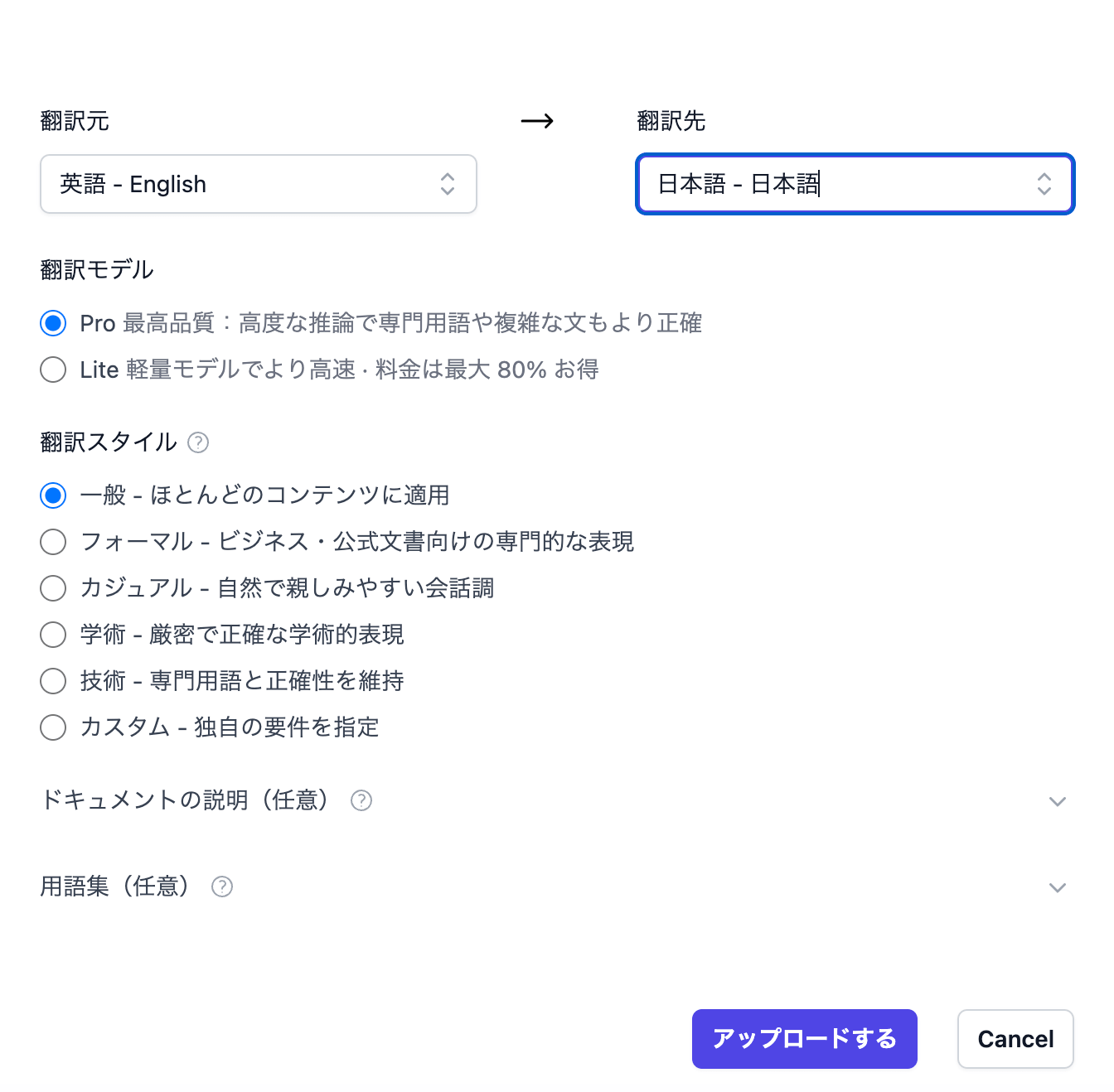
Reproduce this test yourself: Download the sample resume (.docx) and run it through the free preview, or download our Pro-translated result to inspect it in Word.
We intentionally packed the document with ten things that commonly break:
- Real university names (Stanford University, University of California, Berkeley) — should they stay in English or be localized?
- Real company names with legal suffixes (Google LLC, Stripe, Inc., Adobe Inc.) — these must not be translated.
- Job titles and internal levels (Senior Software Engineer, Software Engineer II, L4) — the classic trap.
- Technical acronyms (GCP, CI/CD, QPS, gRPC, p99, REST) — must be preserved, not "translated."
- A Latin honor (Magna Cum Laude) — translate it, keep it, or both?
- US date formats (Mar 2021 – Present) — Japanese resumes write dates completely differently.
- Numbers and units (250,000 QPS, 80 ms, 40M+ MAU) — thousand separators and counting units differ across languages.
- Verb-first bullet points (Designed…, Led…, Built…) — an English-resume convention that cannot be translated word-for-word into natural Japanese.
- US phone and address formats — should pass through untouched.
- A two-column skills table with cell shading — the layout stress test.
The result: English → Japanese, item by item
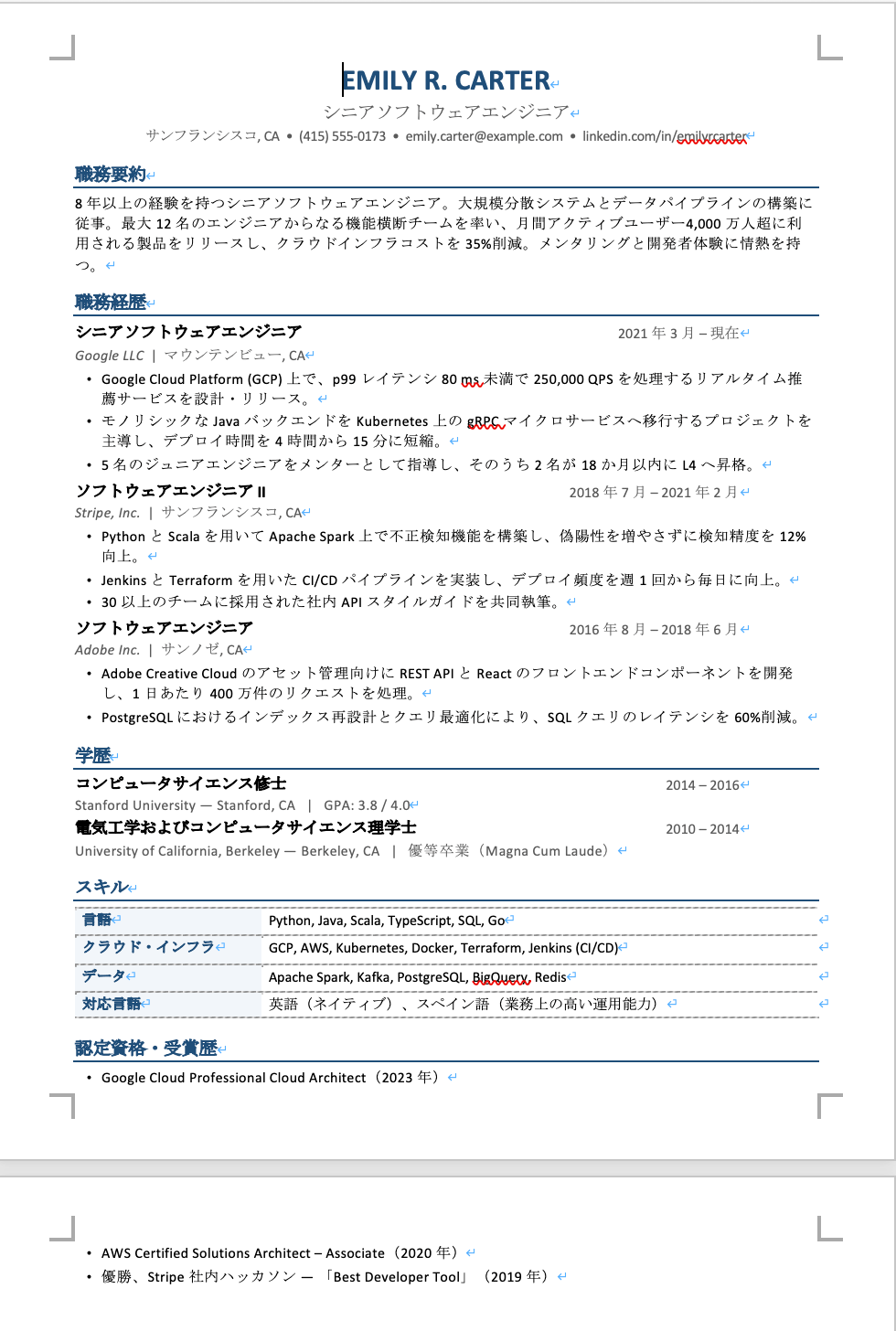
We uploaded the .docx, selected English → Japanese, and translated with the Pro model. The downloaded file kept the original formatting — same fonts, same table, same one-page layout. Here's what the AI did with our ten traps.
1. Bullet points were rewritten in Japanese resume style, not just translated
English resume bullets start with verbs: "Designed and launched a real-time recommendation service…" Japanese 職務経歴書 (work history documents) instead end bullets with nouns — a style called 体言止め. The translation got this right:
Designed and launched a real-time recommendation service on Google Cloud Platform (GCP) handling 250,000 QPS…
→ Google Cloud Platform (GCP) 上で、p99レイテンシ80 ms未満で250,000 QPSを処理するリアルタイム推薦サービスを設計・リリース。
This is genre-aware rewriting, not word substitution. Every bullet in the document followed the convention.
2. Technical terms and company names passed through untouched
GCP, Kubernetes, gRPC, CI/CD, Terraform, PostgreSQL — all preserved exactly. Google LLC, Stripe, Inc., and Adobe Inc. kept their legal suffixes. Job levels survived too: "Software Engineer II" became ソフトウェアエンジニア II, keeping the level marker instead of translating it away.
3. "Magna Cum Laude" got the textbook treatment
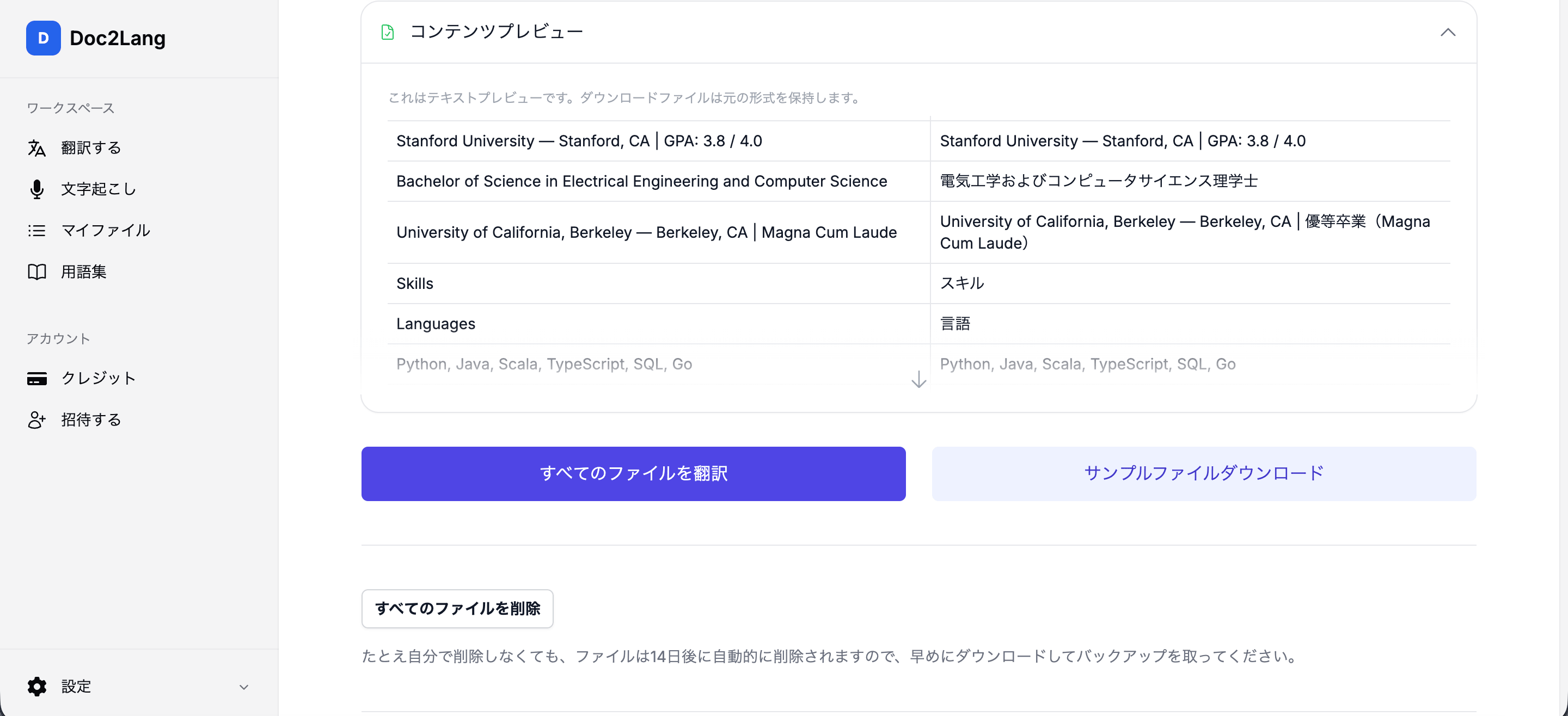
The Pro model rendered it as 優等卒業(Magna Cum Laude) — the Japanese translation followed by the original in parentheses. A Japanese recruiter immediately understands the honor, and the original credential is still verifiable. This is exactly how a professional human translator handles it.
4. Dates and numbers were localized correctly
"Mar 2021 – Present" became 2021年3月 – 現在. "40M+ monthly active users" became 月間アクティブユーザー4,000万人超 — note the correct thousand separator and the Japanese counting convention. Meanwhile engineering notation like "250,000 QPS" and "80 ms" stayed in technical form, which is the right call for a tech resume.
5. The layout survived
The downloaded .docx kept the two-column skills table, its cell shading, the section rules, and the one-page structure. No post-editing was needed.
Pro vs Lite: same file, two models, different philosophies
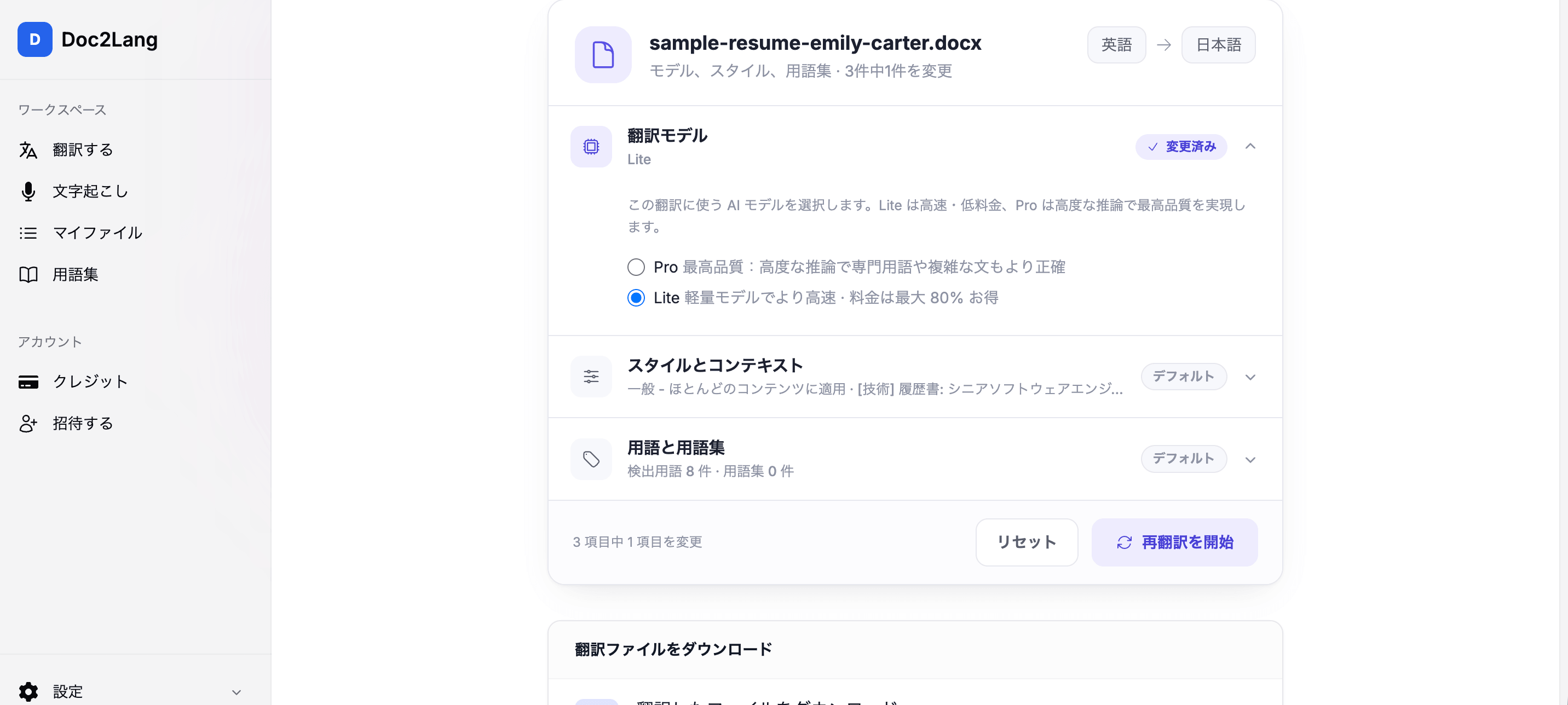
Doc2Lang lets you choose between two models — Pro (highest quality, deeper reasoning) and Lite (faster, up to 80% cheaper). We used the Retranslate feature to run the exact same resume through Lite and compared the two outputs line by line.
| What we checked | Pro model | Lite model | Our take |
|---|---|---|---|
| Candidate name | Kept as EMILY R. CARTER | Transliterated to エミリー・R・カーター | Pro is safer — keeping names in the original script is standard practice for international resumes. Lite's katakana reads naturally on a Japanese-style CV. Both defensible. |
| University names | Kept Stanford University in English | Localized to スタンフォード大学 | Two philosophies: Pro preserves verifiability; Lite reads more natively. Which is "correct" depends on where you're applying. |
| Magna Cum Laude | 優等卒業(Magna Cum Laude) — translation + original | Kept in Latin, untranslated | Pro's dual rendering is the professional standard. |
| Fraud detection | 不正検知 — the established industry term | 不正検出 — a literal but less idiomatic rendering | Subtle, but Japanese engineers will notice. Pro chose the term of art. |
| Numbers & units | 250,000 QPS, 80 ms kept in engineering notation; 4,000万人 with separator | 毎秒25万リクエスト, 80ミリ秒 — fully localized; 4000万人 without separator | For a technical resume, Pro's choice to keep engineering notation is the better fit. |
| "Cross-functional teams" | 機能横断チーム (native rendering) | クロスファンクショナルチーム (loanword) | Both acceptable; a matter of style. |
| Language proficiency | 業務上の高い運用能力 | 実務上級 | Lite's rendering is actually more concise here — Lite doesn't lose everywhere. |
Our summary: Pro made consistently more professional choices on the details that matter for a resume — proper nouns, terms of art, and dual-rendering of credentials — while Lite produced a perfectly usable translation at a fraction of the cost. For a document as high-stakes as a resume, we'd recommend Pro. For internal drafts or high-volume documents, Lite is the value pick.
And when the two models disagree — say, you want your university name localized — you don't have to pick a model and hope. That's what the glossary is for.
Pinning your preferred terms with the glossary
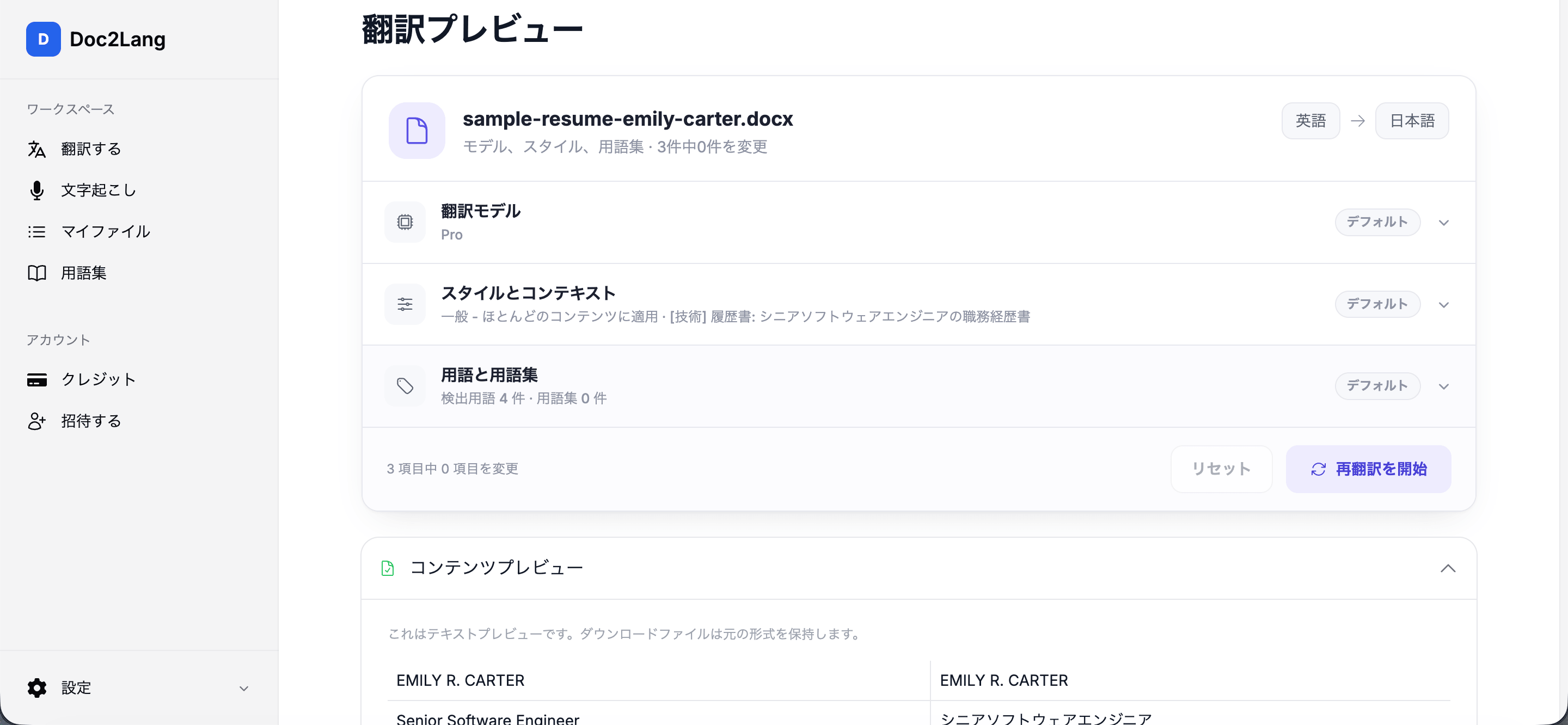
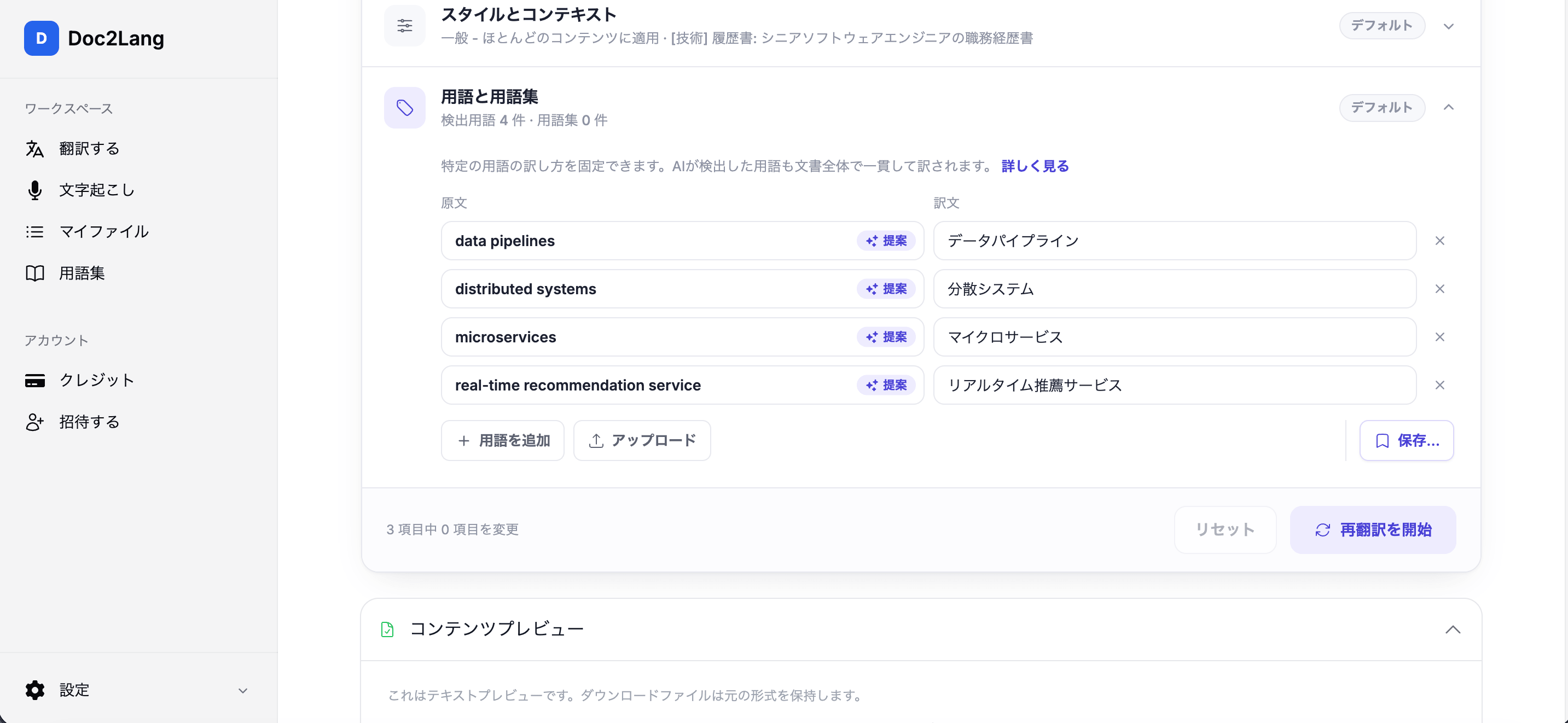
During upload, Doc2Lang automatically detected key terms in the resume (data pipelines → データパイプライン, distributed systems → 分散システム, and so on) and let us confirm or edit each one. If you want "Stanford University" rendered as スタンフォード大学 — or kept in English — add it as a glossary term and both models will follow it consistently across the entire document.
How to translate your own resume (about 3 minutes)
- Upload your resume at doc2lang.com — .docx and PDF both work. No account required.
- Choose languages and options. Pick your source and target language, a model (Pro or Lite), and optionally a translation style. For resumes, the Technical or Formal style works well. Doc2Lang's Word translator handles the .docx directly.
- Preview for free. Doc2Lang translates a sample of the document at no cost so you can judge quality — and tweak the glossary — before paying anything.
- Pay and download. Pricing is pay-per-use (our one-page resume cost ¥800 — about $5 — with Pro, and ¥460 with Lite). The downloaded file keeps your original formatting.
Not happy with a specific term? Use Retranslate to re-run with a different model, style, or glossary — your original translation is kept so you can compare. You can also start from our dedicated English-to-Japanese document translator.
FAQ
Will the formatting break?
No. Doc2Lang translates inside the original file format. Our test resume's two-column table, cell shading, and one-page layout came through intact in the downloaded .docx.
Will my school and company names be translated incorrectly?
Company names and technical terms are preserved by default. For names where more than one rendering is defensible (like university names), use the glossary to pin your preferred version — it will be applied consistently throughout the document.
Which file formats are supported?
Word (.docx) and PDF — including scanned PDFs via OCR — plus Excel, PowerPoint, and more.
Is it free?
The preview is free, with no signup. You only pay to download the full translation, on a pay-per-use basis with no subscription.
Which languages can I translate my resume into?
100+ languages, including Japanese, Chinese, Korean, Spanish, French, German, and Portuguese.
How much does it cost to translate a resume?
Doc2Lang is pay-per-use with no subscription. Our one-page test resume cost ¥800 (about $5) with the Pro model and ¥460 (about $3, our lowest Lite price) with Lite. The preview is free.
Should I use Pro or Lite for a resume?
We recommend Pro for resumes — in our test it made better choices on job titles, industry terms, and credentials. Lite costs up to 80% less and is a good fit for drafts or less critical documents.
The sample resume used in this article is fictional. Institution and company names are real and used solely to demonstrate translation behavior; the person, contact details, and work history are invented.